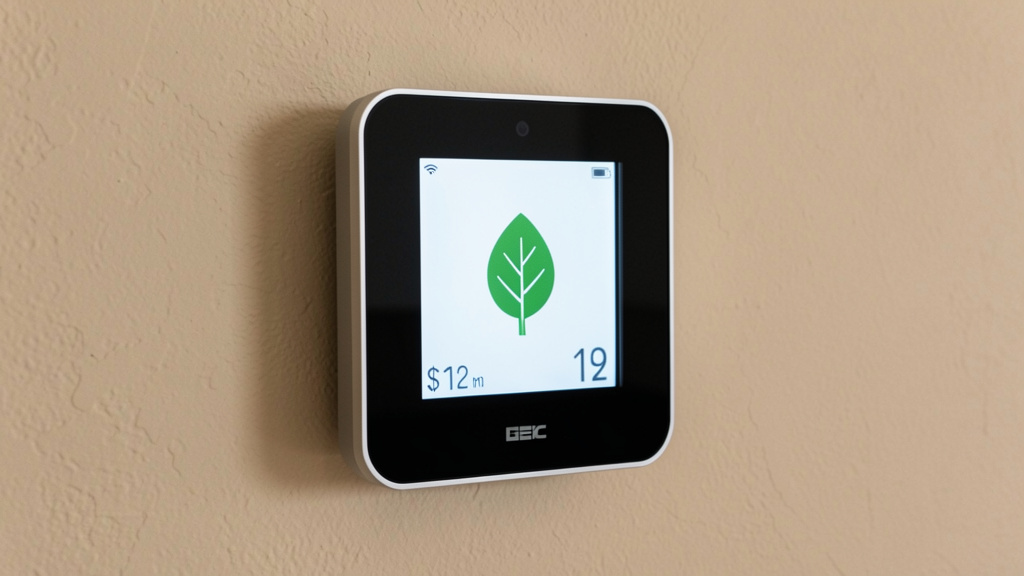
Clarity Over Complexity—Align Your Thermostat Choice with Your Home’s Unique Rhythm, Structure, and Values
Selecting a thermostat strategy is far more than picking a device—it’s about harmonizing technology with lived experience. Your choice influences daily comfort, energy patterns, HVAC longevity, indoor air quality, and even household harmony. This guide moves beyond product comparisons to offer a grounded, adaptable framework for evaluating manual, programmable, and smart thermostats as integrated components of your home’s living ecosystem. Whether you navigate an older home with unique constraints, shifting work rhythms, privacy considerations, or simply seek greater intentionality, you’ll find pathways tailored to your reality—without hype, pressure, or oversimplification.
Introduction
Walk into any hardware store or scroll online, and you’ll encounter polarized narratives: smart thermostats heralded as essential upgrades, manual dials dismissed as relics, programmable models labeled obsolete. Yet beneath the noise lies a foundational truth—there is no universal “best” thermostat. The right fit emerges from the interplay of your home’s physical traits, your household’s actual routines, your comfort with technology, and your long-term priorities. A thermostat perfectly suited to a predictable weekday schedule may create friction in a home with fluid routines. Conversely, a feature-rich smart system may introduce unnecessary complexity for someone who values simplicity and direct control.
This decision extends beyond temperature settings. Thermostat strategy affects HVAC wear (frequent short-cycling strains components), humidity management (critical for comfort and preventing mold in humid regions), air filtration runtime, and resilience during weather extremes. Reputable sources like the U.S. Department of Energy note that intentional thermostat management can contribute to meaningful reductions in heating and cooling energy use. However, these outcomes depend entirely on alignment between the tool and the user—not the tool alone. A programmable schedule ignored due to life’s unpredictability yields no benefit. A smart thermostat disabled after initial setup becomes inert hardware. True efficiency arises from sustainable habits paired with appropriately matched technology.
This guide synthesizes insights from building science literature, HVAC engineering principles, energy research, and real-world user patterns. We prioritize clarity over jargon, actionable reflection over prescriptive mandates, and adaptable strategies over one-size-fits-all claims. By the end, you’ll possess a personalized lens for evaluating options, implementing changes with confidence, and cultivating a climate strategy that feels intuitive—not imposed. Your path to a more comfortable, responsive home environment begins with understanding your unique context.
The Climate Control Triad Framework: Three Pillars for Confident Decision-Making
Before evaluating any thermostat type, anchor your thinking in three observable realities: Thermal Personality, Human Rhythm, and System Synergy. This triad shifts focus from marketing specs to your home’s actual behavior. Misalignment in any pillar leads to frustration—no technology compensates for poor placement, incompatible wiring, or schedules that ignore real life. This framework transforms selection from guesswork into grounded assessment.
Pillar 1: Decoding Your Home’s Thermal Personality
Your home breathes, retains heat, and responds to weather uniquely. Ignoring this leads to constant temperature chasing. Begin with a simple observational audit—no special tools required.
Conduct a Short Thermal Observation:
Over two to three typical days, note:
– Room Variations: Are certain areas consistently warmer or cooler? (e.g., “South-facing room feels noticeably warmer by afternoon”)
– Sun and Draft Patterns: When does direct sun hit windows? Do tissues flutter near doors, windows, or outlets?
– System Response: After adjusting the thermostat, how long until you feel a change? Does the system cycle on/off frequently?
– Seasonal Shifts: Does comfort change dramatically between spring and peak summer?
Why this matters: Homes with significant variation (older builds, multi-level layouts, large windows) often benefit from strategies addressing microclimates—like remote sensors or localized adjustments. Tightly sealed modern homes respond more uniformly, making centralized control more effective. For instance, a home with minimal insulation may struggle with deep temperature setbacks; a modest adjustment paired with awareness of recovery time often works better than aggressive scheduling. Conversely, a well-insulated home maintains temperature steadily, where even simple manual adjustments can yield consistent results.
Common Considerations:
– Thermostat Location: If placed near a draft, lamp, or sunbeam, it senses false temperatures. Relocating during replacement (ideal height: 52–60 inches on an interior wall) often resolves persistent issues.
– Thermal Mass: Materials like concrete, brick, or tile absorb and release heat slowly. Schedules may need earlier start times to avoid overshooting.
– Seasonal Awareness: Document when specific rooms become challenging. This informs whether adaptive features (smart) or seasonal reprogramming (programmable) better serve your needs.
The Fundamental Principle: Your thermostat responds only to conditions at its location. Understanding your home’s thermal behavior is foundational to any effective strategy.
Pillar 2: Mapping Your Household’s Human Rhythm
Technology should reduce friction, not create it. Move beyond assumed routines (“We’re always out 9–5”) and observe actual patterns.
Reflect on These Questions:
– Occupancy: Who is home, and when? Note variations (remote work days, school holidays, travel).
– Preference Shifts: Do comfort needs change by time of day or activity? (e.g., cooler for sleep, warmer during evening relaxation)
– Adjustment Triggers: Why do manual overrides happen? (e.g., “Sun heats kitchen midday,” “Guests visiting”)
– Psychological Factors: Does adjusting the thermostat feel satisfying or burdensome? Do household members prefer tangible control or “set-and-forget” simplicity?
Why this matters: Predictable routines align well with programmable schedules. Fluid lifestyles—shift work, frequent travel, variable hours—often benefit from adaptive features like geofencing or learning algorithms. However, if household members distrust location tracking or prefer direct interaction, even advanced tech may go unused. Consider a retiree who moves between sunroom and study: a manual thermostat near their favorite chair, adjusted intuitively, may deliver greater satisfaction than navigating an app. Honor how people actually live—not how an idealized schedule suggests they should.
Rhythm-Based Guidance:
– Predictable Patterns: Programmable thermostats can reduce daily decisions when schedules are consistent.
– Dynamic Patterns: Smart features like occupancy sensing or remote adjustments may ease mental load.
– Static Patterns: Manual or basic programmable units often suffice for stable routines.
– Differing Preferences: Strategies like remote sensors (averaging temperatures) or localized solutions (fans, throws) foster compromise.
True alignment respects human behavior as much as technical capability.
Pillar 3: Ensuring System Synergy
Compatibility with your existing HVAC system is non-negotiable. Mismatches risk poor performance, unnecessary wear, or safety concerns. Approach this step with care.
Key Verification Steps:
1. Identify System Type: Forced air, heat pump, boiler/radiator, or multi-stage? Check your indoor unit’s label or documentation.
2. Review Wiring: With power OFF at the breaker, photograph your current thermostat wiring. Note terminal labels (R, W, Y, G, C, O/B).
– Critical Note: Many smart thermostats require a C-wire (common wire) for continuous power. If absent, solutions exist (power extender kits, professional installation), but verify compatibility before purchasing.
– Heat Pump Specifics: Requires correct O/B terminal configuration. Confirm any new thermostat explicitly supports heat pumps.
3. Use Manufacturer Tools: Reputable brands offer online compatibility checkers. Input your system details—they provide clear guidance.
4. When Unsure, Consult a Professional: Share your wiring photo with an HVAC technician. A brief consultation prevents costly errors.
– Rental Note: Always discuss changes with your landlord first. Unauthorized modifications may violate lease terms.
Why This Matters:
Installing an incompatible unit wastes time and money. A thermostat unable to communicate with a multi-stage system misses efficiency opportunities. A non-heat-pump-compatible unit on a heat pump system may disable critical functions. System synergy ensures your chosen strategy operates safely and effectively within your home’s mechanical reality.
Mastering the Climate Control Triad provides clarity. You now hold a lens to evaluate any thermostat type against your specific context—not marketing claims. With this foundation, let’s explore each category with nuance and practicality.
Manual Thermostats: Intentional Control in an Automated Age
Often overlooked, manual thermostats represent purposeful simplicity. Their strength lies not in automation, but in fostering mindful interaction with your environment. For specific households and homes, they deliver unmatched reliability, transparency, and alignment with user values.
Enduring Strengths of Manual Operation
Manual thermostats—mechanical dials or digital non-programmable units—function on a clear principle: you set the temperature; the system responds. This simplicity offers distinct advantages:
- Reliability: Minimal components mean fewer failure points. Mechanical models require no batteries or Wi-Fi. During internet outages or power fluctuations (with generator backup), they continue functioning when connected systems may not.
- Accessibility: Immediate, tangible feedback. Ideal for those experiencing digital fatigue, preferring direct control, or supporting elderly residents or children learning responsibility.
- Privacy and Security: No data collection, cloud connections, or remote access vulnerabilities. For privacy-conscious households, this is a meaningful consideration.
- Cost Efficiency: High-quality units range from $15–$50. Installation is often straightforward. No subscription fees or forced obsolescence.
- Behavioral Awareness: Adjusting a dial creates conscious engagement with energy use. Environmental psychology suggests visible actions can reinforce conservation habits more effectively than invisible automation.
When Manual Control Excels
Manual thermostats are strategic choices—not compromises—in these scenarios:
– Historic or Unique HVAC Systems: Older gravity-fed systems, steam radiators, or millivolt fireplaces often lack low-voltage wiring. Line-voltage manual thermostats are frequently the only safe, compatible solution.
– Secondary Residences: Cabins or vacation homes benefit from simplicity. Arrive, set, leave—no remote scheduling needed.
– Rental Situations (Tenant): With landlord permission, a simple replacement or plug-in unit (for window AC) offers control without permanent changes.
– Consistent Routines: Households maintaining stable daily patterns may find manual adjustment effortless and satisfying.
– Educational Contexts: Teaching energy awareness? A manual thermostat makes cause-and-effect tangible.
– Backup Preparedness: Keeping a manual unit accessible ensures climate control during smart system failures or extended outages.
Strategic Manual Use: Beyond Random Adjustments
Effectiveness stems from intentionality. Implement these supportive practices:
Seasonal Anchor Approach:
Establish two baseline settings aligned with comfort and efficiency guidelines:
– Heating Season: 68°F during waking hours
– Cooling Season: 78°F during waking hours
Adjust modestly for specific needs (e.g., -2°F for sleep, +2°F during cooking). Document patterns in a small notebook beside the thermostat to refine over time.
Layered Comfort Integration:
Reduce reliance on extreme temperature shifts by combining thermostat use with passive strategies:
– Winter: Wear layers, use thermal curtains on north-facing windows, place rugs on cold floors.
– Summer: Deploy ceiling fans (counter-clockwise for breeze), close blinds during peak sun, use cross-ventilation in mild evenings.
These actions enhance perceived comfort while reducing HVAC runtime.
Vacation Protocol:
– Winter: Set to 55–60°F to prevent freezing; open cabinet doors under sinks on exterior walls.
– Summer: Set to 82–85°F to protect furnishings without cooling an empty space.
Place a clear note: “VACATION SETTING – DO NOT ADJUST” to prevent well-meaning changes.
Avoiding Common Pitfalls:
– Thermostat Surfing: Resist frequent small tweaks. Allow 15 minutes after adjustment for the system to respond.
– Extreme Settings: Setting to 90°F won’t heat faster—it only leads to overshooting. Set to your desired temperature.
– Location Errors: If relocation isn’t feasible, buffer a poorly placed thermostat with a small foam shield (not blocking the sensor).
Modern Manual Options
Today’s manual thermostats include thoughtful refinements:
– Digital Non-Programmable: Clear displays, precise adjustments, filter change reminders (e.g., Honeywell Home CT30).
– Line-Voltage Models: Designed for electric baseboard or radiant systems (e.g., Stelpro).
– Plug-In Units: For window AC or portable heaters where hardwiring isn’t possible.
– High-Durability Mechanical: Bimetallic models valued for workshops or garages where digital interference is a concern.
Manual thermostats thrive where simplicity, reliability, and user agency are priorities. They demand presence—but reward with unwavering function and a deeper connection to your living space. Their limitation isn’t capability; it’s mismatched application. When your home’s thermal behavior is stable, routines are consistent, and system compatibility is clear, manual control is a conscious, powerful choice.
Programmable Thermostats: Structured Scheduling for Predictable Patterns
Programmable thermostats automate temperature adjustments based on pre-set schedules, eliminating daily decisions while supporting efficiency during unoccupied or sleeping periods. Their value shines when aligned with consistent household rhythms—but requires thoughtful setup to avoid common pitfalls.
Understanding Scheduling Structures
Selecting the right programming model prevents frustration:
– 7-Day: Unique schedule for each day. Ideal for highly variable routines (e.g., rotating shifts, hybrid work weeks).
– 5+2-Day: One weekday schedule, one weekend schedule. Best for traditional Monday–Friday routines.
– 5-1-1-Day: Weekday schedule plus separate Saturday and Sunday schedules. Useful when weekend days differ significantly.
Helpful Features to Note:
– Backlit Display: For readability in dim hallways.
– Filter Change Reminder: Tracks runtime to prompt timely maintenance.
– Auto Changeover: Switches between heating and cooling modes automatically.
– Hold Functions: “Temporary Hold” lasts until the next scheduled period; “Permanent Hold” overrides indefinitely (use cautiously).
– Battery Backup: Preserves schedule during brief power outages.
Crafting a Realistic Schedule: The Recovery Time Concept
Strategic setbacks (allowing temperature to drift during sleep or absence) require nuance. The outdated advice to “set back 10°” can backfire in homes with slow recovery times.
Step-by-Step Approach:
1. Determine Comfort Baseline: What temperature feels comfortable during active hours? (e.g., 72°F heating, 76°F cooling)
2. Assess Recovery: How long does your system take to return from a setback? In a well-insulated home, 30–45 minutes may suffice; older homes may need 60+ minutes.
3. Set Modest Setbacks:
– Heating: Reduce baseline by 5–8°F (deeper setbacks only if recovery is quick).
– Cooling: Raise baseline by 4–7°F (smaller setbacks in humid climates to avoid moisture issues upon restart).
4. Schedule Transitions:
– Wake: Begin heating/cooling 30–60 minutes before waking.
– Away: Start setback 15 minutes after departure.
– Home: Return to comfort temperature 30 minutes before arrival.
– Sleep: Begin setback 30 minutes after bedtime.
5. Seasonal Review: Adjust “Home” periods as daylight hours shift (e.g., earlier in winter, later in summer).
Example: A household with consistent weekdays might set:
– Weekdays: Wake 6:30 AM (68°F), Away 8:30 AM (62°F), Home 5:00 PM (68°F), Sleep 10:30 PM (65°F)
– Weekends: Wake 8:00 AM (68°F), Away 10:00 AM (64°F), Home 4:00 PM (68°F), Sleep 11:00 PM (65°F)
This modest weekend setback accommodates potential morning activity without deep recovery demands.
Avoiding Common Programmable Pitfalls
Research indicates programmable thermostats can underperform when misused. Prevent these issues:
– The “Permanent Hold” Trap: Using “Hold” for guests or odd days and forgetting to cancel. Solution: Prefer “Temporary Hold,” or set a phone reminder to revert.
– Over-Programming: Creating too many schedule changes triggers frequent system cycling, reducing efficiency. Solution: Limit to 4 periods daily. Use fans or open windows for brief comfort tweaks.
– Ignoring Weather: A fixed schedule runs AC on a cool, cloudy day. Solution: Glance at the forecast each morning; use “Temporary Hold” for anomalous weather.
– Heat/Cool Overlap: Setting heating to 70°F and cooling to 72°F causes short-cycling. Solution: Maintain at least a 3° buffer (e.g., Heat 68°F / Cool 74°F).
Installation and Calibration Basics
- Level Mounting: Use a small bubble level. An unlevel unit can cause sensor inaccuracies.
- Sensor Check: Place a calibrated thermometer beside the thermostat. If readings differ by more than 1–2°F after 15 minutes, use the unit’s calibration offset (if available).
- Location Matters: Avoid placement near drafts, vents, lamps, or direct sunlight. Relocate during replacement if needed.
When Programmable Thermostats Shine
They deliver strong value in:
– Households with consistent school/work schedules
– Budget-conscious upgrades (often $30–$70; quick payback through reduced waste)
– Homes with stable thermal behavior (predictable recovery times)
– Users who enjoy optimizing schedules and reviewing system patterns
Programmable thermostats excel as a middle path—offering automation without connectivity demands. Their limitation is rigidity; when life becomes unpredictable, that rigidity creates friction. This is where adaptive capabilities become relevant.
Smart Thermostats: Context-Aware Climate Management for Dynamic Lives
Smart thermostats function as responsive climate partners, using sensors, connectivity, and algorithms to adapt to changing conditions. They shine where routines shift, homes have complex thermal profiles, or users seek deeper system insights. However, their value is proportional to thoughtful implementation—not just installation.
Core Capabilities: Practical Value Over Hype
Adaptive Learning:
Observes temperature adjustments and occupancy patterns over days to suggest a personalized schedule.
– Best For: Households with irregular routines (freelancers, shift workers).
– Nuance: Initial adjustments “teach” the system. Avoid frequent overrides during setup. Most allow switching to manual scheduling within the app if learning isn’t ideal.
Geofencing:
Uses smartphone location to trigger “Away” or “Home” modes.
– Best For: Spontaneous schedules, frequent travelers.
– Nuance: Requires app installation and location permissions from relevant household members. Set radius thoughtfully (start with 1 mile). Pair with occupancy sensors where GPS is unreliable.
Remote Sensors:
Wireless sensors report temperature (and often occupancy/humidity) from key rooms.
– Best For: Multi-story homes, rooms far from thermostat, resolving “thermostat location” issues.
– Nuance: Place at seated head height, away from vents/windows. Use “Follow Me” mode to prioritize occupied rooms or “Average” mode for whole-home balance.
HVAC Insights & Alerts:
Tracks runtime, detects unusual patterns, reminds about filter changes.
– Best For: Proactive maintenance, peace of mind.
– Nuance: Alerts indicate potential issues—context matters. “Long runtime” could signal a problem or simply a heatwave. Use as prompts for professional consultation, not definitive diagnoses.
Ecosystem Integration:
Works with voice assistants, smart vents, utility programs, or window sensors.
– Best For: Homes with existing smart systems; users valuing convenience.
– Nuance: Verify compatibility before purchase. Review privacy policies: understand what data is collected, how it’s used, and your control options. Core climate functions work offline; internet loss disables remote access and updates only.
Navigating Compatibility Thoughtfully
Critical Pre-Purchase Steps:
1. Confirm HVAC Compatibility: Especially for heat pumps (O/B terminal), multi-stage systems, or humidifiers.
2. Address C-Wire Needs:
– If present: Ideal for reliable operation.
– If absent: Explore included power extender kits (PEK), professional C-wire installation, or models with robust power-stealing (research limitations).
3. Use Manufacturer Tools: Upload wiring photos or complete compatibility questionnaires. Cross-reference results.
4. Consult a Technician: When uncertain, a brief professional review prevents installation issues.
Privacy, Security, and Personal Values
- Data Transparency: Reputable brands clearly state data practices. Opt out of anonymized data sharing if desired.
- Security: Enable two-factor authentication, use strong passwords, ensure firmware updates are enabled.
- Ethical Alignment: If connectivity concerns outweigh benefits, a programmable thermostat remains an excellent, high-value choice. Technology should align with your values—not compromise them.
Realistic Value Assessment
- Energy Impact: Studies suggest potential reductions in heating/cooling energy use when features are actively used and aligned with household behavior. Savings vary widely based on prior habits, home efficiency, and climate.
- Non-Energy Benefits: Often equally valuable: remote adjustments while traveling, HVAC health alerts, reduced decision fatigue, comfort equity via sensors.
- Total Consideration: Factor purchase price, potential installation cost, available utility rebates, and personal valuation of convenience/insights. Many find value extends beyond direct energy savings.
When Smart Technology Delivers Clear Value
Smart thermostats are well-justified when:
– Household routines are fluid or unpredictable
– Home has significant room-to-room temperature differences
– HVAC system is modern and compatible (multi-stage, heat pump)
– Users appreciate data-driven insights and proactive alerts
– Integration with other smart home elements enhances daily life
– Peace of mind (freeze alerts, filter reminders) is prioritized
They may be less essential for:
– Highly predictable households already optimizing programmable schedules
– Privacy-focused users uncomfortable with connected devices
– Budget constraints where a programmable unit meets core needs
– HVAC systems requiring costly modifications for compatibility
Smart thermostats represent contextual intelligence—not magic. Their power emerges when capabilities align precisely with your Thermal Personality, Human Rhythm, and System Synergy. When misaligned, they become unused complexity. The Climate Control Triad ensures you determine fit with clarity.
The Hybrid Approach: Strategic Integration for Real-World Complexity
Homes and households rarely fit textbook categories. The most resilient climate strategies often blend tools intentionally—leveraging strengths while respecting constraints. This isn’t indecision; it’s sophisticated system design.
Multi-Zone Hybrid Strategies
Primary Living Area + Secondary Zones:
– Install a smart thermostat with remote sensors in high-traffic areas (living room, main bedroom hallway).
– Use simple manual or programmable units in secondary zones (guest room, basement). Label clearly: “GUEST ROOM – Adjust as needed.”
– Why it works: Smart system manages dynamic core spaces; secondary zones operate on-demand without app dependency.
Historic Home with Modern Addition:
– Preserve/original-style manual thermostat in historic section (where wiring or aesthetics limit options).
– Install smart thermostat in modern addition with its own zone.
– Why it works: Honors architectural integrity while delivering convenience where feasible. Supplement with localized solutions (e.g., space heater in drafty library, window AC in sunny addition bedroom).
Rental Property Dynamics:
– Landlord: Install a locked, non-programmable digital thermostat set within a safe range (e.g., 68°F–78°F). Provide a clear guide.
– Tenant: Add a plug-in smart thermostat for a window AC unit in the bedroom—full control over personal sleep environment without modifying landlord property.
– Why it works: Balances equipment protection with tenant comfort, reducing conflict.
Layering Non-Thermostat Climate Controls
Thermostats are one component of comfort. Integrate complementary strategies:
Fan-First Protocol:
– Ceiling Fans: Counter-clockwise in summer (creates breeze), clockwise on low in winter (redistributes warm air). Allows raising cooling setpoint or lowering heating setpoint with maintained comfort.
– Window/Portable Fans: Targeted cooling for occupied areas; exhaust hot air at night.
– Impact: Strategic fan use can significantly reduce reliance on HVAC runtime during mild conditions.
Window Treatment Integration:
– Summer: Close light-colored blinds on south/west windows by late morning to block solar heat gain.
– Winter: Open south-facing curtains on sunny days; close all curtains at night to retain heat.
– Smart Option: Pair motorized shades with thermostat automations (e.g., “Close west shades when cooling is active and sun is bright”).
Supplemental Tactics (Used Judiciously):
– Space Heaters: For zone heating in occupied rooms only. Choose oil-filled radiators; follow safety protocols (clearance, direct plug-in).
– Dehumidifiers: In humid climates, running a dehumidifier can allow a higher cooling setpoint while maintaining comfort.
– Humidifiers: In dry winter months, adding moisture allows a slightly lower heating setpoint with equal comfort.
Phased Upgrade Pathway
Not every home needs a full smart system immediately. Build capability gradually:
1. Foundation (Months 1–3): Replace outdated unit with reliable programmable thermostat. Implement Seasonal Anchor settings and Layered Comfort practices. Document thermal patterns.
2. Insight Building (Months 4–6): Add standalone wireless sensors to problem rooms. Use data to refine schedules or validate need for remote sensors.
3. Targeted Integration (Months 7–12): Install smart thermostat only if prior steps confirm value (unpredictable schedules, documented room variations). Prioritize models with included sensors.
4. Ecosystem Refinement (Year 2+): Integrate complementary elements (smart vents, motorized shades) based on documented needs and energy reports.
Hybrid Strategy Decision Guide
Ask these questions:
1. Are there distinct thermal zones? → Consider multi-thermostat strategy.
2. Do household members have conflicting comfort needs? → Prioritize sensors + localized solutions.
3. Is full-system compatibility challenging? → Explore hybrid (smart for compatible zones, manual elsewhere) or plug-in controls.
4. Do privacy/budget constraints exist? → Start with programmable + non-thermostat layers (fans, shades).
The hybrid approach embraces systems thinking. It rejects false binaries (“manual vs. smart”) and asks: “What thoughtful combination creates the most resilient, comfortable outcome for this home?” It acknowledges that the most sophisticated solution is often the one tailored to complex reality.
Installation Essentials: Safety, Precision, and Knowing When to Seek Help
Installation quality directly impacts performance and safety. Approach with care—your well-being is paramount. If uncertainty arises at any point, pause and consult a licensed HVAC professional.
Universal Safety Protocol (Non-Negotiable)
- Power Down Completely:
- Turn OFF the HVAC/furnace breaker at your main electrical panel.
- Verify power is off: Attempt to call for heat/cool at the thermostat. For absolute certainty, use a non-contact voltage tester on wires after removal (no beep = safe).
-
Why: While thermostat wires are typically low-voltage (24V), they connect to components linked to high-voltage lines. Safety first, always.
-
Document Thoroughly:
- Take multiple clear photos of existing wiring before disconnecting anything.
-
Label each wire with adhesive tags matching terminal letters (R, W, Y, G, C, etc.).
-
Re-Verify Compatibility:
- Cross-reference wiring photos and HVAC type with the new thermostat’s requirements. Confirm C-wire availability if needed.
Step-by-Step Installation Outline
Remove Old Unit:
– Gently detach faceplate. Unscrew mounting base. Coil wires loosely; secure with twist tie. Insert tissue into wall opening to block debris.
Prepare Wall:
– Clean surface. Check for level. Ideal height: 52–60 inches on an interior wall, away from drafts, sun, or heat sources. Relocating from a poor spot significantly improves accuracy.
Mount New Base:
– Feed wires through. Secure firmly. Double-check level.
Connect Wires:
– Match labeled wires to terminals. Tighten screws securely (wire shouldn’t pull out with gentle tug).
– Standard Low-Voltage Reference:
– R/Rc/Rh: Power (follow new thermostat’s jumper instructions)
– C: Common wire (critical for most smart thermostats)
– W/W1: Heat
– Y/Y1: Cooling
– G: Fan
– O/B: Heat pump reversing valve (climate-dependent setting)
– Critical: If your old thermostat used a jumper between Rc and Rh, consult the new unit’s manual—many modern thermostats handle this internally.
Power Up & Test:
– Restore breaker power. Follow setup prompts.
– Verification:
– HEAT mode: Set 5° above room temp; confirm furnace ignites and airflow begins within 60 seconds.
– COOL mode (if applicable): Set 5° below; confirm AC engages.
– FAN mode: Fan runs continuously.
– Check for error codes; consult manual if present.
Special Scenarios
No C-Wire for Smart Thermostat:
– Power Extender Kit (PEK): Often included (Ecobee) or available separately. Installs at furnace; creates virtual C-wire. Best for DIYers comfortable accessing the furnace control board.
– Professional Installation: Technician runs new thermostat cable. Most reliable long-term solution. Recommended if wiring path is inaccessible or you prefer guaranteed results.
– Power Stealing: Some thermostats offer this fallback. May cause display flickering or brief reboots. Use only if other options aren’t feasible; monitor closely initially.
Heat Pump Systems:
– During setup, explicitly select “Heat Pump.”
– Configure O/B terminal per climate: “O” for cooling-dominated regions, “B” for heating-dominated.
– Verify auxiliary/emergency heat settings. Test mode transitions carefully.
Line-Voltage Systems (Electric Baseboard, Wall Heaters):
– WARNING: These use 120V/240V household current—serious shock hazard.
– Only use thermostats explicitly rated for line-voltage.
– Strong Recommendation: Hire a licensed electrician. This work requires specific expertise and safety protocols beyond typical DIY scope.
When to Call a Professional: Clear Triggers
Engage an HVAC technician if:
– You feel uncomfortable handling wiring or breakers
– System uses line-voltage wiring
– Wiring shows corrosion, brittleness, or damage
– HVAC system is under warranty (DIY may void coverage)
– System is complex (multi-zone, boiler with multiple zones, geothermal)
– Previous attempts resulted in errors or malfunctions
– C-wire is absent and you prefer professional installation
Finding Qualified Help:
– Seek NATE-certified or factory-trained technicians.
– Request a specific “thermostat compatibility and installation” quote.
– Ask: “Will you verify wiring and system compatibility before proceeding?”
– Typical cost: $150–$350 for standard installation; more if new cable run is needed.
Post-Installation Verification
- Calibration: Place a calibrated thermometer beside the thermostat. After 15 minutes, adjust offset in settings if difference exceeds 1–2°F.
- Sensor Placement (Smart): Ensure remote sensors are at seated height, away from vents/windows. Test “Follow Me” functionality.
- Schedule Review: Walk through the first week’s schedule. Adjust recovery periods based on your home’s actual response.
- Filter Reminder: Set based on filter type and household factors (pets, allergies).
A careful, safety-focused installation ensures your strategy operates as intended. Rushing this phase undermines all prior planning. Invest the time, prioritize safety, and seek expert help without hesitation. Your home’s climate system deserves precision and respect.
Beyond Temperature: Humidity, Air Movement, and Holistic Comfort
True comfort involves more than air temperature. Humidity, air movement, filtration, and radiant heat from surfaces all shape how we experience our indoor environment. Understanding these elements allows you to work with your thermostat strategy for deeper well-being.
Humidity: The Silent Comfort Factor
Relative humidity (RH) significantly impacts how temperature feels and indoor health. Target 30–50% RH year-round when possible.
Winter Dryness:
Cold outdoor air holds little moisture. When heated indoors, RH drops sharply—causing dry skin, static, and wood damage.
– Thermostat Integration: Some smart thermostats control whole-house humidifiers. They monitor RH and activate the humidifier as needed, often adjusting based on outdoor temperature to prevent window condensation.
– Manual Strategy: Use standalone hygrometers. Run portable humidifiers in bedrooms. Place water basins near heat sources. Slightly lowering the heating setpoint (e.g., 68°F vs. 72°F) can make humidified air feel equally comfortable.
Summer Humidity:
High humidity (>60% RH) creates a muggy, oppressive feel and encourages mold growth. Air conditioners remove moisture while running.
– Short-Cycle Challenge: An oversized AC cools air quickly but shuts off before removing significant moisture. Result: cool but clammy air.
– Thermostat Strategies:
– Use “Dehumidify” or “Dry” mode if available (runs fan slower after cooling cycle to maximize moisture removal).
– Pair with a standalone dehumidifier controlled via smart plug (e.g., “Turn on if RH > 55%”).
– In humid climates, prioritize dehumidification over aggressive cooling. 78°F with lower humidity often feels more comfortable than 74°F with high humidity—and may use less energy.
Humidity-Informed Adjustments:
– On humid days, raise the cooling setpoint slightly but ensure dehumidification is active.
– On dry winter days, lower the heating setpoint slightly after adding moisture.
– During vacations, set RH limits if your system allows (summer: keep <60% to deter mold; winter: keep >25% to protect wood).
Air Quality and Filtration: The Thermostat’s Supporting Role
Indoor air quality depends heavily on air circulation and filtration. While thermostats don’t filter air directly, they control the fan—the engine of air movement.
Fan Mode Strategy:
– Auto: Fan runs only during heating/cooling cycles. Most energy-efficient but provides minimal filtration between cycles.
– On: Fan runs continuously. Maximizes filtration and temperature consistency but uses more energy and may introduce humidity in summer.
– Circulate (Recommended Compromise): Fan runs for set periods each hour (e.g., 15–30 minutes), regardless of heating/cooling demand.
– Benefits: Consistent air mixing, reduced hot/cold spots, ongoing filtration.
– Adapt: Increase circulation during high-pollen seasons or after cooking; decrease during extreme outdoor temperatures.
Filter Maintenance:
Clogged filters restrict airflow, reduce efficiency, and degrade air quality.
– Use programmable/smart thermostat reminders based on runtime hours (more accurate than calendar dates).
– Note change dates and conditions. Homes with pets or in dusty areas may need more frequent changes.
Air Quality Integration:
Pair with standalone air quality monitors (e.g., for particulate matter or VOCs). Create simple automations: “If air quality monitor detects high particles, set fan to Circulate mode for 30 minutes.” During wildfire season or high-pollen periods, prioritize recirculation with high-MERV filters.
Radiant Temperature and Surface Comfort
Comfort is influenced by the temperature of surrounding surfaces (mean radiant temperature), not just air temperature.
– Standing near a cold window in winter feels chilly even if air is 70°F.
– Sitting in direct sun on a cool day feels warm.
– Thermostat Limitation: Standard units measure air temperature only.
– Strategic Compensation:
– Winter: Close curtains on north-facing windows at night. Warmer surface temperatures allow slightly lower air setpoints without discomfort.
– Summer: Close blinds on sun-facing windows before heat builds up. Prevents surfaces from becoming heat radiators.
– Advanced: Remote sensors placed near problem surfaces (e.g., a chilly windowsill) can inform localized responses when paired with zoning or supplemental solutions.
Seasonal Strategy Shifts: Adapting Through the Year
Your approach should evolve with the seasons. Static settings miss opportunities for comfort and efficiency.
Spring Transition:
– Switch system mode from HEAT to COOL (or AUTO).
– Replace HVAC filter with a higher-MERV option for pollen season.
– Set fan to “Circulate” mode to filter air without cooling.
– Clean thermostat sensors gently with a soft brush.
– Test AC system early—don’t wait for the first heatwave.
Summer Optimization:
– Set cooling baseline to 78°F; use fans to enhance comfort.
– Enable “Smart Recovery” or “Early On” to begin cooling before peak heat.
– Activate dehumidification features if available.
– Close blinds on sun-facing windows by late morning.
– Use “Away” mode consistently when the house is empty.
Fall Transition:
– Switch system mode from COOL to HEAT (or AUTO).
– Replace filter; inspect humidifier water panel if applicable.
– Test heating system early; listen for unusual sounds.
– Gradually adjust cooling setpoints downward as outdoor temperatures cool.
– Begin using ceiling fans in clockwise mode on low to redistribute warm air.
Winter Optimization:
– Set heating baseline to 68°F during waking hours.
– Use humidifier to maintain 30–40% RH for comfort and health.
– Keep curtains closed on north-facing windows at night; open south-facing curtains on sunny days.
– Reverse ceiling fans to clockwise (low speed) to gently push warm air down.
– Avoid deep setbacks if your home has slow recovery times; modest adjustments often yield better results.
Integrating these factors transforms thermostat strategy from a single-point decision into holistic environmental stewardship. Small, informed adjustments compound into meaningful improvements in comfort, health, and system performance.
Your Questions, Answered
Q: Can I install a thermostat myself?
A: Many homeowners successfully install thermostats on compatible low-voltage systems. Critical steps: turn off power at the breaker, photograph existing wiring, verify compatibility beforehand, and follow instructions precisely. If your system lacks a C-wire, involves line-voltage wiring (electric baseboard), or you feel uncertain at any point, consult a licensed HVAC professional. Safety and correct operation are paramount.
Q: Do smart thermostats actually save energy?
A: Potential savings depend entirely on prior habits and alignment with your lifestyle. For households with inconsistent manual adjustments or unpredictable schedules, smart features like geofencing or learning schedules can reduce wasted runtime. For households already using optimized programmable schedules, additional savings may be modest. Non-energy benefits—convenience, remote access, HVAC alerts—often hold significant value for users.
Q: What if my home doesn’t have a C-wire?
A: Options exist: many smart thermostats include power extender kits (PEK) that create a virtual C-wire at the furnace; some models use “power stealing” (with potential limitations like occasional reboots); or a technician can run a new cable. Verify compatibility using the manufacturer’s tool before purchasing. A PEK is often a reliable DIY solution for low-voltage systems.
Q: How do I know if a thermostat is compatible with my heat pump?
A: Confirm the thermostat explicitly states heat pump compatibility. During setup, you’ll configure the O/B terminal (O for cooling-dominated climates, B for heating-dominated). Incorrect configuration can cause simultaneous heating and cooling—a serious issue. Use the manufacturer’s compatibility checker and, if unsure, consult an HVAC technician with your system details.
Q: Are manual thermostats still a good choice in 2024?
A: Absolutely—for the right context. They excel in simplicity, reliability, privacy, and cost-effectiveness. Ideal for historic homes with unique HVAC, secondary residences, households with stable routines who prefer direct control, privacy-focused users, or as emergency backups. Their value isn’t obsolete; it’s situational. Match the tool to your needs.
Q: Can a thermostat help control humidity?
A: Some advanced smart thermostats integrate with whole-house humidifiers or dehumidifiers, adjusting based on sensor readings. Even without integration, thermostat strategy influences humidity: avoiding short AC cycles (which don’t remove moisture well), using “Dehumidify” mode if available, or pairing with standalone dehumidifiers controlled via smart plugs. Understanding the temperature-humidity relationship allows smarter adjustments.
Q: How often should I replace my thermostat?
A: Thermostats don’t have a fixed expiration, but consider replacement if: it’s inaccurate (verified with a separate thermometer), unresponsive, incompatible with a new HVAC system, lacks features critical to your current needs (e.g., no C-wire support for a smart upgrade), or is a very old mechanical unit. Modern digital units offer improved accuracy and features. Evaluate based on performance and your evolving strategy.
Q: What’s the most common thermostat mistake?
A: Setting extreme temperatures to “heat or cool faster.” HVAC systems operate at fixed capacity—setting to 90°F won’t warm the house quicker; it only leads to overshooting and wasted energy. Set to your desired temperature and allow time for the system to respond. Patience prevents discomfort and inefficiency.
Q: Can I use a smart thermostat in a rental property?
A: Tenants should always get landlord permission first. Unauthorized changes may violate lease terms. If approved, consider plug-in smart thermostats for window AC units (no wiring changes). Landlords may prefer installing a locked, non-programmable digital thermostat set within a safe range, providing tenants clear guidance while protecting the system.
Q: How do I calibrate my thermostat?
A: Place a calibrated standalone thermometer next to the thermostat. Wait 15 minutes. If the difference exceeds 1–2°F, consult your thermostat’s manual for calibration offset instructions (common in digital models). Also ensure it’s mounted level and away from drafts, sun, or heat sources—location errors are more common than sensor drift.
Q: Do thermostats work with multi-stage or variable-speed HVAC systems?
A: Yes, but compatibility is critical. Ensure the thermostat explicitly supports multi-stage (2H/2C) or variable-speed systems. Advanced models optimize stage usage (e.g., running low-stage longer for better dehumidification). Using a basic thermostat on a multi-stage system wastes potential efficiency. Verify using manufacturer tools or professional consultation.
Q: What should I do if my thermostat screen is blank?
A: First, check the HVAC breaker—reset if tripped. For battery-powered units, replace batteries. For smart thermostats without a C-wire, a blank screen may indicate power-stealing limitations; a C-wire or PEK often resolves this. If power is confirmed and the screen remains blank, the unit may need replacement. Consult the manual or manufacturer support.
Conclusion and Next Step
Recap: Three Anchors for Clarity
- Your Home Has a Thermal Personality: Observe its patterns—room variations, sun exposure, recovery time. Strategy flows from understanding, not assumptions.
- Technology Serves Human Rhythm: Match the tool to your actual life—not an idealized schedule. Predictable routines favor programmable; fluid lives may benefit from adaptive features; simplicity has enduring value.
- System Synergy is Non-Negotiable: Verify compatibility with your HVAC system before purchasing. Safety, performance, and longevity depend on it.
The 24-Hour Rule: One Small Step Forward
Within the next 24 hours, spend ten minutes observing your current thermostat interaction. Note one moment you adjusted it and why (e.g., “Sun hit the kitchen at 2 PM,” “Felt chilly while reading”). This simple act of awareness—without judgment—is the foundation of intentional climate management. No purchase required. Just presence.
The Big Picture: Climate Strategy as Home Stewardship
Your thermostat is a single node in a larger ecosystem of comfort, efficiency, and care. Thoughtful choices ripple outward: reducing unnecessary system strain extends equipment life; mindful adjustments align with broader household values; layered strategies (fans, shades, humidity management) create resilient comfort independent of any single device. This isn’t about perfection—it’s about progress. Small, consistent refinements, grounded in your unique reality, compound into a home environment that feels truly responsive. You now hold a framework to navigate choices with confidence, adapt as life evolves, and cultivate a space that supports well-being season after season.
Explore Further Guidance:
Understanding Home Insulation Basics | Optimizing Ceiling Fan Use Year-Round | HVAC Maintenance Checklist for Homeowners | Navigating Utility Rebates for Home Efficiency | Creating Comfort Zones in Multi-Story Homes | Air Quality Monitoring for Healthier Living | Seasonal Home Readiness: A Room-by-Room Guide